Email signatures for Microsoft 365
Every email signed properly, without chasing anyone.
SigOwl builds each person’s signature from your Microsoft 365 directory and adds it in Outlook as they write. Design it once, decide who gets what, and put a banner or your latest stock under every email.
R 25,00 per person per month · 14-day free trial · No card needed to start

How it works
- 1
Connect Microsoft 365
A Microsoft 365 admin approves read-only access once. Names, titles, phone numbers and photos sync from then on.
- 2
Design your signatures
Start from a ready-made layout, build one from blocks, or paste your own HTML. Preview it as anyone in the company.
- 3
Everyone gets it automatically
Your admin installs the Outlook add-in once for everyone. From then on the right signature goes in as people write.
Your directory does the typing
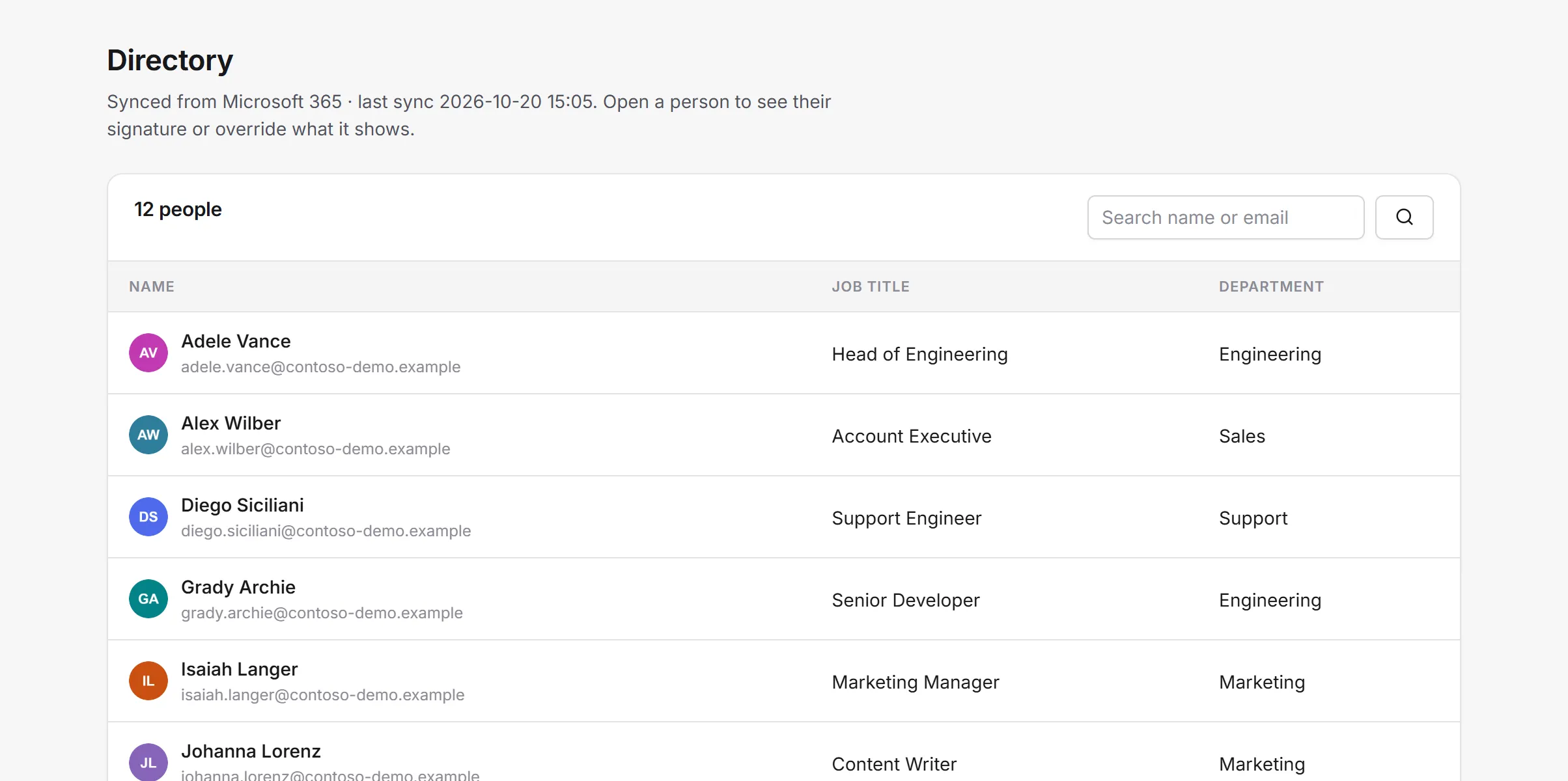
People’s names, job titles, departments, phone numbers and photos come straight from Microsoft 365 and stay in sync. When someone is promoted or changes number, their signature follows.
- No forms for staff to fill in
- Override a detail for one person when you need to
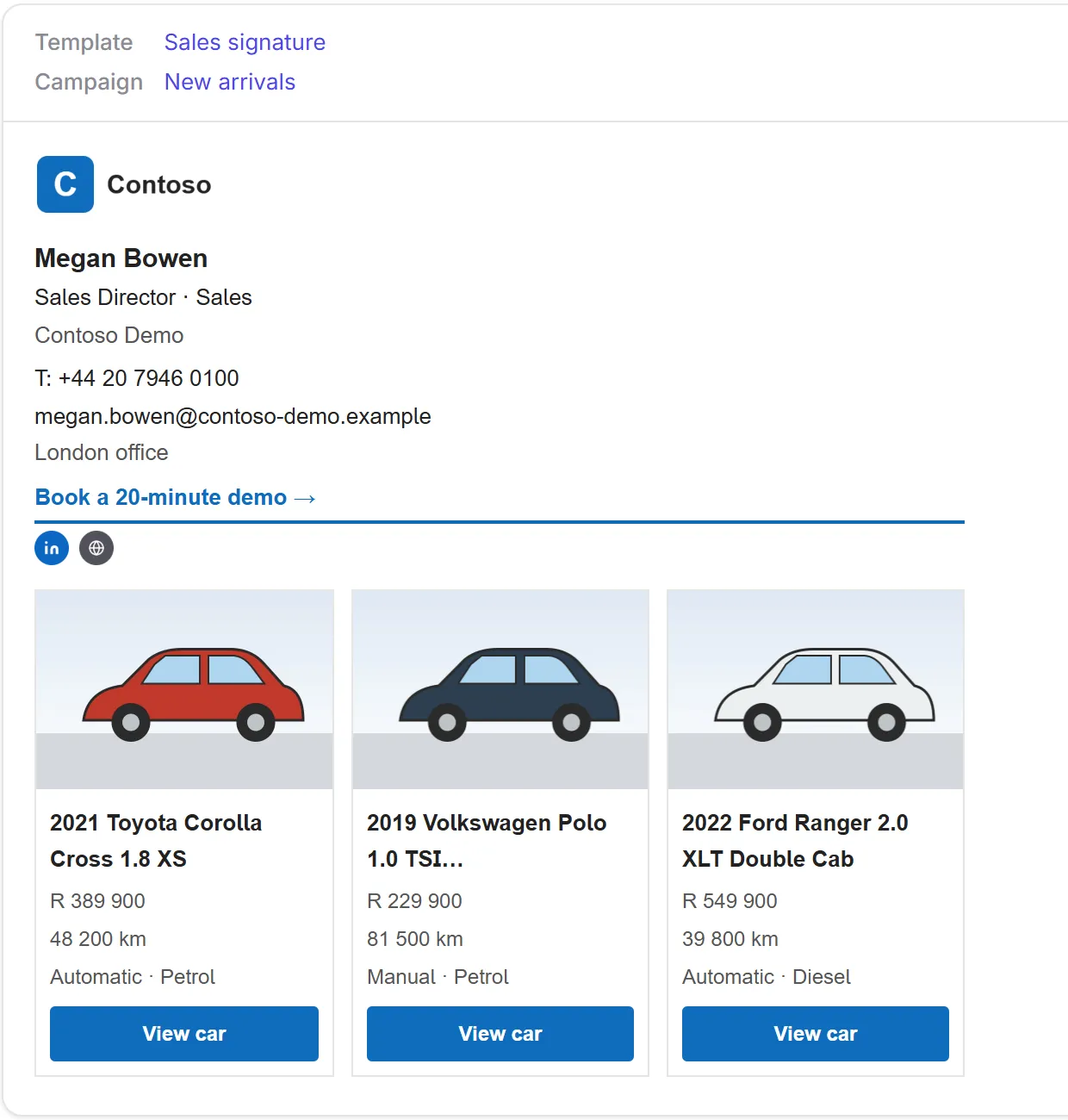
Design it your way, see it as anyone
Pick a ready-made layout and fill in a simple form, arrange blocks in the editor, or bring your own HTML. The preview shows exactly what a given person will send, for a new email or a reply.
- Your logo, colours, links and social icons
- Built for the way Outlook displays email
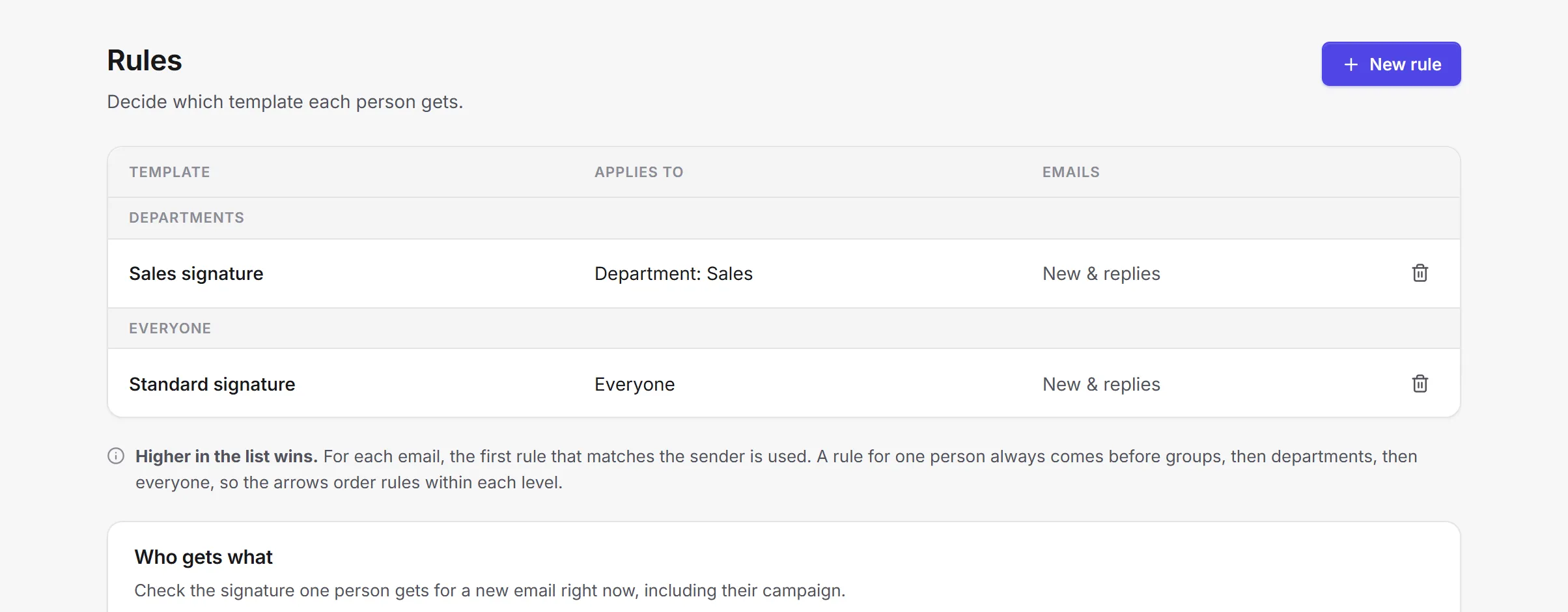
The right signature for each person
Rules decide who gets which template: everyone, a department, a Microsoft 365 group or one person. Use a full signature for new emails and a shorter one for replies.
- Check what anyone gets before it goes live
- New starters are covered automatically
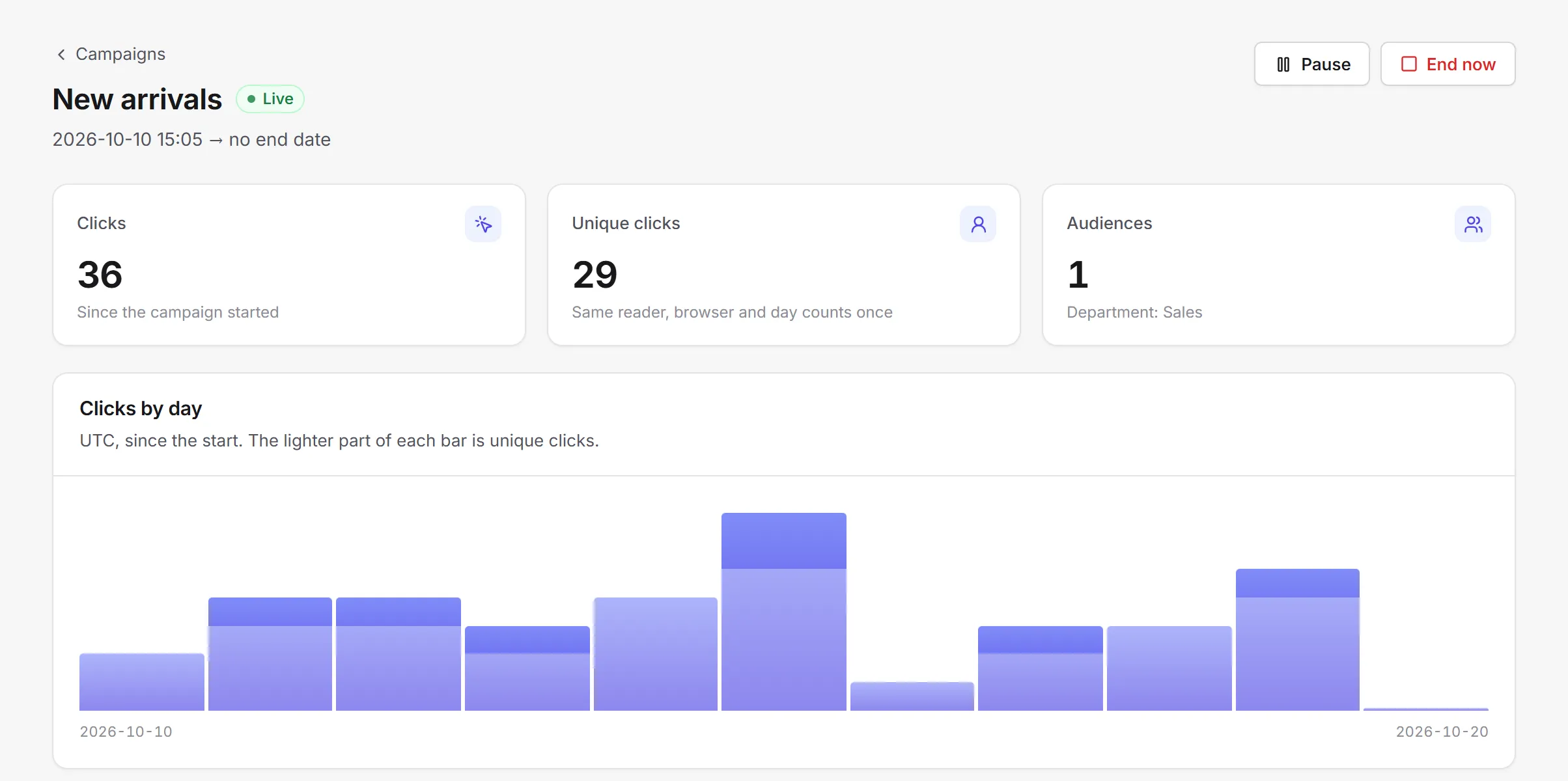
Every email can sell a little
Campaigns add a clickable banner under signatures, or live listing cards from your stock or product feed — a dealer’s newest vehicles, say — styled to match. Schedule them, choose the audience, and see clicks by day and by department.
- Listings update on their own as stock changes
- Different campaigns for different teams
Works in Outlook on the desktop and the web
The SigOwl add-in puts the right signature in as soon as someone starts a new email or reply, in Outlook on the web, the new and classic Outlook for Windows, and new Outlook for Mac. Your Microsoft 365 admin installs it once, for everyone. Nobody else installs anything.
- Outlook on the web
- New Outlook for Windows
- Classic Outlook for Windows
- New Outlook for Mac
Careful with your data
Read-only access
SigOwl only reads users, groups and photos from your directory. SigOwl doesn’t read your email. The Outlook add-in only works on the message being written, to add the signature.
Our own servers
The app and its database run on servers we manage ourselves. Signature images are served from a storage bucket so email clients can load them.
Checked on every request
The Outlook add-in’s Microsoft token is verified each time it asks for a signature.
Simple pricing
One price per person. Every feature included.
R 25,00per person
per month
- 14-day free trial, no card needed
- Templates, rules, campaigns and listing cards
- Outlook add-in for the whole company
- Pay by invoice (EFT); card payments coming soon
You pay for the active people in your directory.
Questions
Does everyone have to install something?
No. Your Microsoft 365 admin adds the SigOwl add-in once in the Microsoft 365 admin center and assigns it to everyone. It then appears in each person’s Outlook.
Which versions of Outlook work?
Outlook on the web, the new Outlook for Windows, classic Outlook for Windows and new Outlook for Mac. The Outlook apps for iOS and Android aren’t supported.
What access does SigOwl need to our Microsoft 365?
Read-only access to users, groups and profile photos, approved by one of your admins. SigOwl doesn’t read your email (the Outlook add-in only works on the message being written, to add the signature) and can’t change anything in your directory.
Can different teams have different signatures?
Yes. Rules assign templates to everyone, a department, a group or a single person, separately for new emails and replies.
What are listing cards?
Small cards under the signature showing items from your stock or product feed, such as a dealership’s latest vehicles with photo, price and a link. They refresh from the feed, so they stay current without anyone editing them.
Can I try it without connecting Microsoft 365?
Yes. The demo company has sample people, templates and campaigns to explore. Open the demo from the sign-in page.
Where is our data kept?
The app and its database run on servers we manage ourselves. SigOwl keeps the directory details it needs for signatures (names, titles, contact details and photos), your templates and campaigns, and click counts. Images in signatures, such as logos, banners and photos, are served from a storage bucket so that email clients can show them.
What happens when the trial ends?
The trial runs for 14 days and needs no card. To carry on, set up billing in the app: R 25,00 per active person per month, paid by invoice (EFT). Card payments are coming soon.
Give every email a proper signature
Connect Microsoft 365, pick a layout, and your team’s signatures take care of themselves.